Restaurant POS software made simple!
Easily manage orders, menus, tables and staff in one place. Save time, reduce mistakes, and grow your business faster.
Elevate Your Restaurant Operations
QR Code Menu
Instant digital menus that customers can access with a single scan. Faster ordering, zero-touch experience, and complete menu control in real time.
Kitchen Order Tickets (KOT)
A streamlined KOT system that keeps your kitchen running fast and accurately. Reduce miscommunication and speed up order preparation.
Payment Gateway Integration
Accept payments easily via Stripe and Razorpay with secure transactions and a smoother checkout for dine-in and online orders.
Bill Printing
Generate clean, accurate bills instantly. Supports multiple formats, split bills, and add-on charges without manual effort.

Staff Management
Smart role-based access for every team member. Track performance, manage permissions, and ensure operations stay organized and error-free.

Reports
Powerful analytics that highlight performance, sales trends, staff efficiency, and customer behavior. Make smarter decisions backed by real data.
POS (Point of Sale)
A fully integrated POS system designed for restaurants. Handle orders, billing, discounts, and customer details without slowing down your workflow.

Custom Floor Plans
Design your dining layout exactly the way you operate. Visualize tables, track occupancy, and manage seating more efficiently.
| Menu | |||
| Menu Item | Unlimited | Unlimited | Unlimited |
| Item Category | |||
| Area | |||
| Table | |||
| Reservation | |||
| KOT | Unlimited | Unlimited | Unlimited |
| Order | Unlimited | Unlimited | Unlimited |
| Customer | Unlimited | Unlimited | Unlimited |
| Staff | Unlimited | Unlimited | Unlimited |
| Payment | |||
| Report | |||
| Settings | |||
| Delivery Executive | — | ||
| Waiter Request | |||
| Expenses | |||
| Inventory | |||
| Multiple Kitchen | — | ||
| Change Branch | — | ||
| Export Report | — | ||
| Table Reservation | — | — | |
| Payment Gateway Integration | |||
| Theme Setting | — | ||
| Customer Display | — | —td> |
Take Control of Your Restaurant
Powerful tools to manage orders, tables, menus, and performance — all from one clean dashboard.
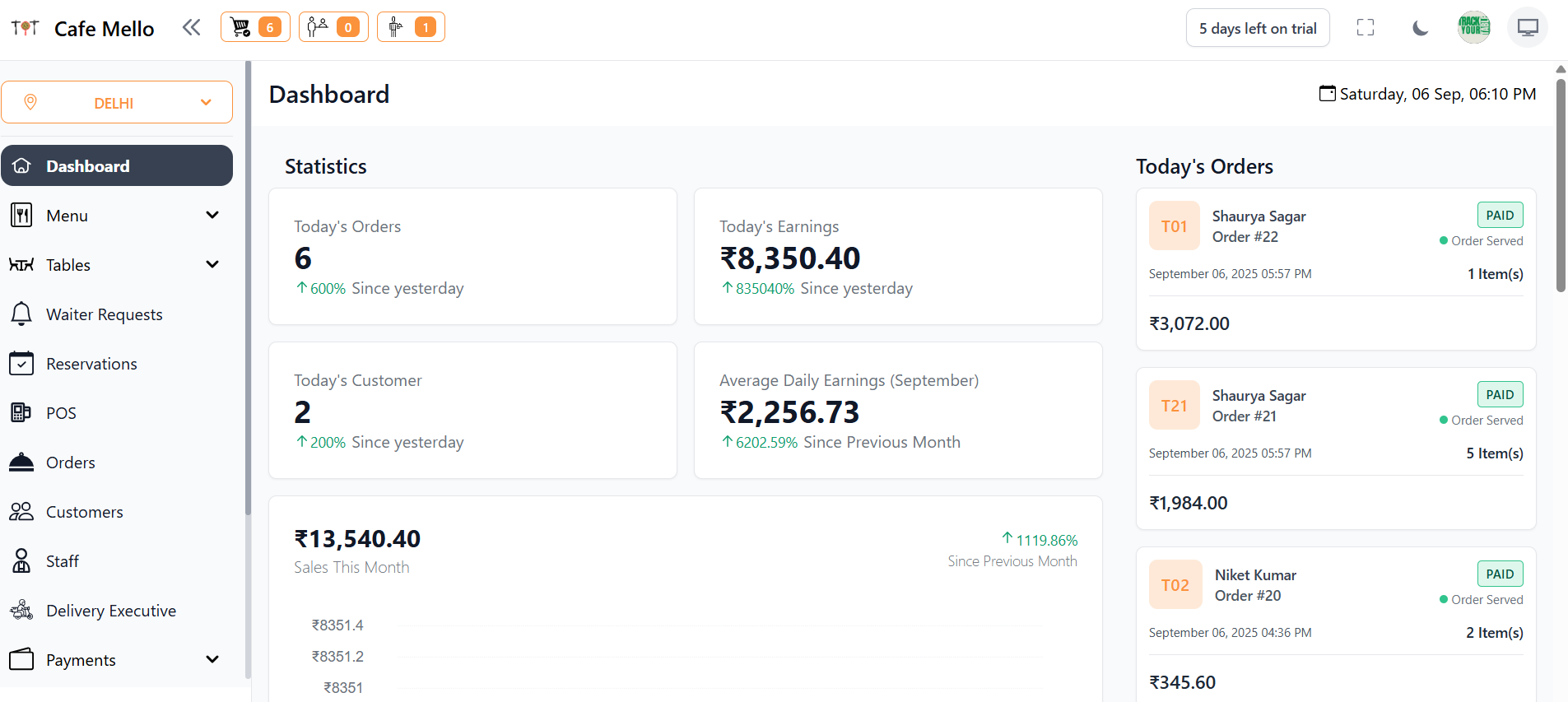
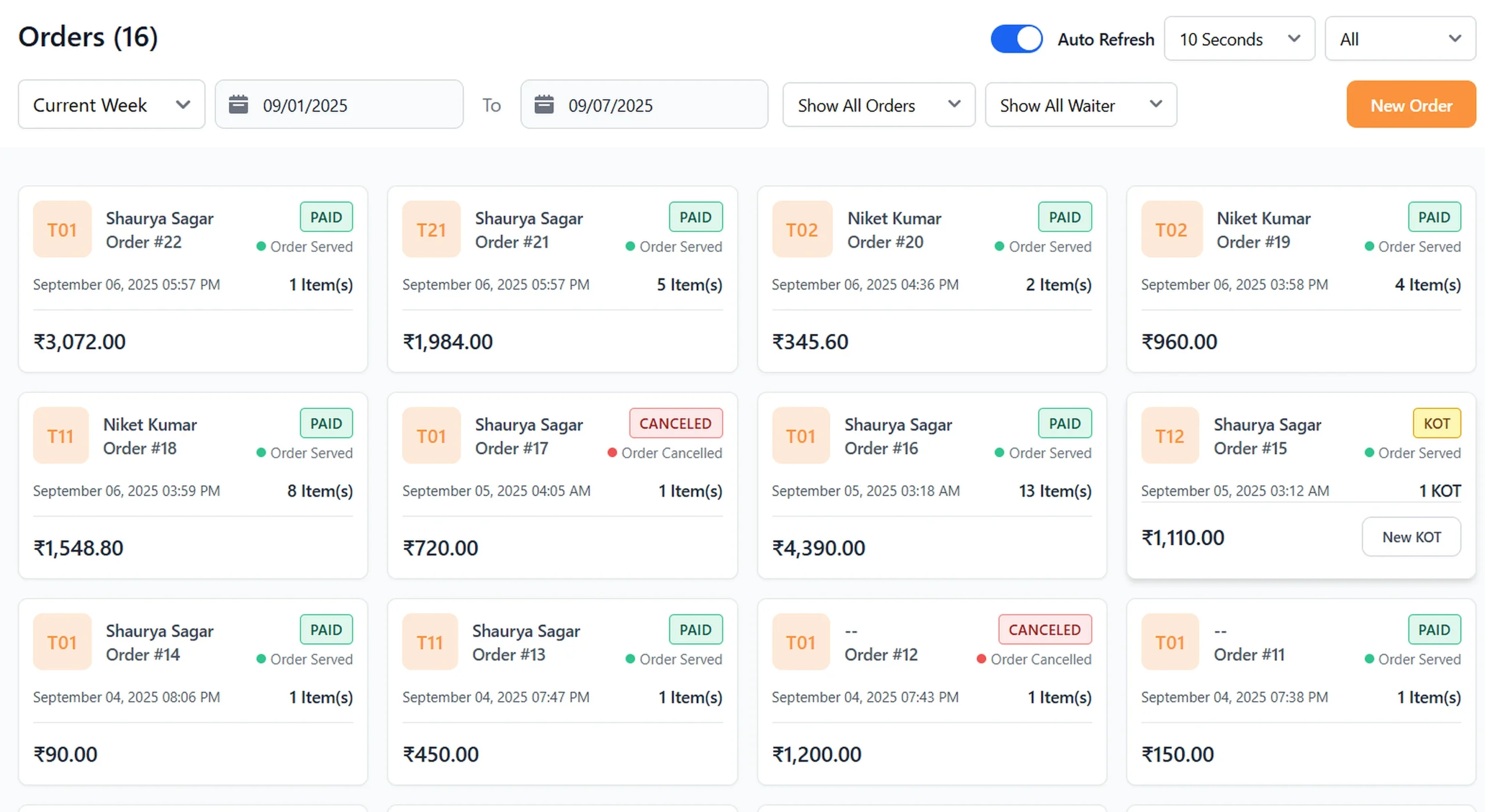
Streamline Order Management
All dine-in and takeaway orders stay organized and visible in one place, keeping service smooth and fast.
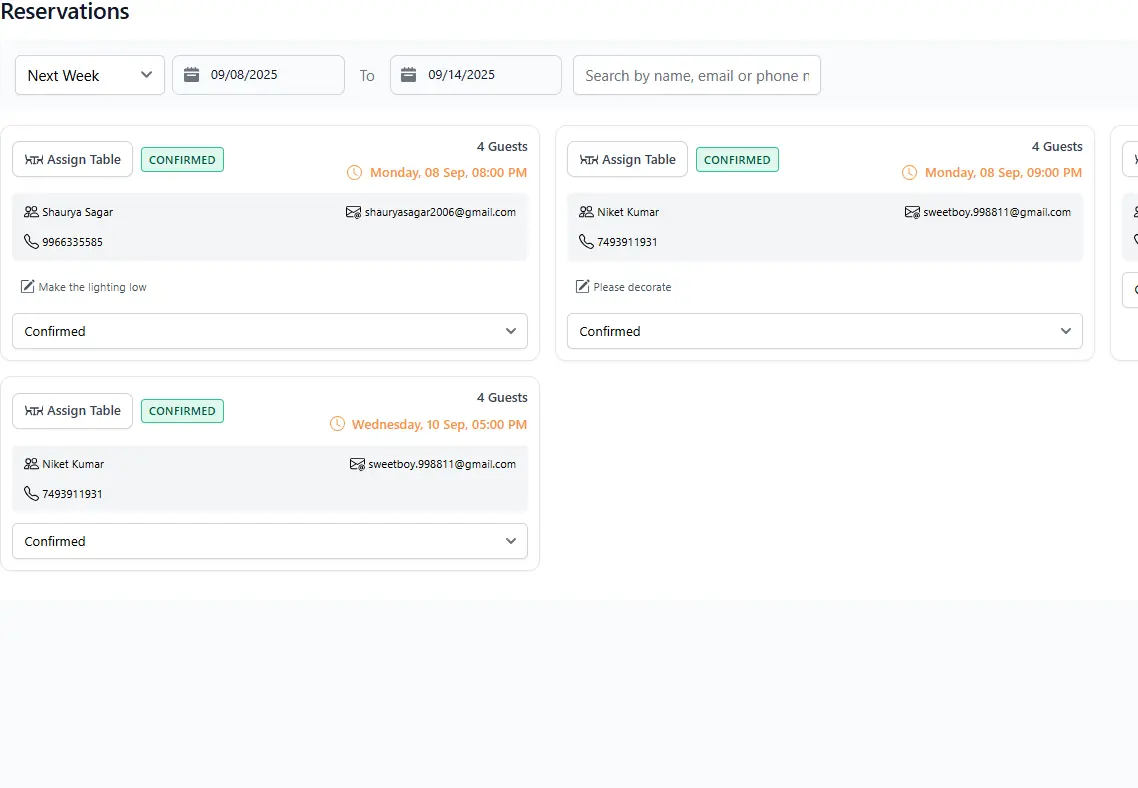
Optimize Table Reservations
Manage seating in real-time, reduce wait times, and ensure smooth customer flow during peak hours.
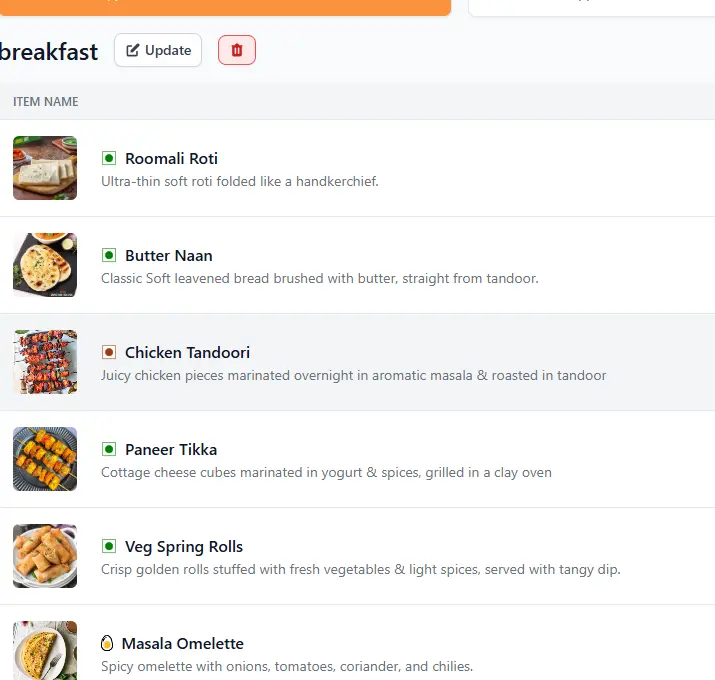
Effortless Menu Management
Update menu items instantly across all platforms — ensuring accuracy for both staff and customers.
Smart Reporting & Analytics
Track sales, best-sellers, and peak hours with clean analytics that help you make faster decisions.
About Track My Table
Track My Table is a modern restaurant management platform built to simplify and speed up daily operations. From handling orders and digital menus to managing tables, staff roles, and payments, everything is connected in one smooth and powerful system. Designed for restaurants of all sizes, Track My Table reduces errors, improves service speed, and gives business owners real-time insights to make smarter decisions.
Whether you run a fast-paced café, a cloud kitchen, or a full-service restaurant, Track My Table helps you operate more efficiently and deliver a better experience to every guest. The system is built to be intuitive for staff, robust for managers, and reliable for owners — so you spend less time wrestling with tools and more time serving customers.

“” It has completely transformed how we operate. Managing orders, tables, and staff all from one platform has reduced our workload and made everything run more smoothly. “”

“” We are able to track every order in real time, keep our menu updated, and quickly manage payments. It is like having an extra set of hands in the restaurant.””

“” The QR Code menu and payment integration have made a huge difference for us, especially after the pandemic. Customers love the ease, and we’ve seen faster table turnover.””


Frequently Asked Questions
Track My Table is an all-in-one restaurant management system that simplifies day-to-day operations. From digital QR code menus and order management to staff permissions, payment integrations, and real-time reporting — everything is centralized in a single platform. This helps restaurants reduce manual errors, save staff time, speed up service, and create a smoother dining experience. Whether you run a small café or a large fine-dining outlet, Track My Table adapts and scales with your business.
Each table in your restaurant is assigned a unique QR code generated by Track My Table. Customers simply scan the code with their smartphone to view your digital menu. They can browse items, customize their order, and place it directly. The order instantly appears on your kitchen and staff dashboard, reducing wait times and eliminating mistakes. Customers can even make payments through the same interface — creating a fast, hygienic, and hassle-free experience.
Yes. Track My Table allows you to create individual staff logins and define permissions for each role — whether manager, waiter, or cashier. Managers can view reports and handle refunds, while waiters can only manage orders and table updates. This improves accountability, reduces mistakes, and prevents unauthorized access to sensitive business data.
Track My Table integrates with payment gateways like Stripe and Razorpay for secure digital transactions. Customers can pay via UPI, cards, net banking, or wallets. All transactions sync automatically inside your dashboard for easy tracking and accounting.
Yes. Track My Table lets you design a custom floor plan of your restaurant. You can create a digital map of the seating arrangement, assign QR codes to each table, and monitor occupancy in real time. This helps improve efficiency and increases table turnover during busy hours.
See how TrackMyTable streamlines your restaurant operations
Watch this 3-minute demo to see how orders, table management, and billing are handled from a single clean dashboard. No clutter, no confusion — just a faster, more reliable workflow. The walkthrough includes the main dashboard, order flow, table management, and several practical features that save time every day.
Tip: For best clarity, use headphones. The video is fully responsive on both mobile and desktop.
Contact Sales / Request Demo
Fill this form and our team will reach out. Required fields are marked *